
Bar Sur · Training · Bar Sur — Concept & Beverage
Bar Sur POS Ordering Guide
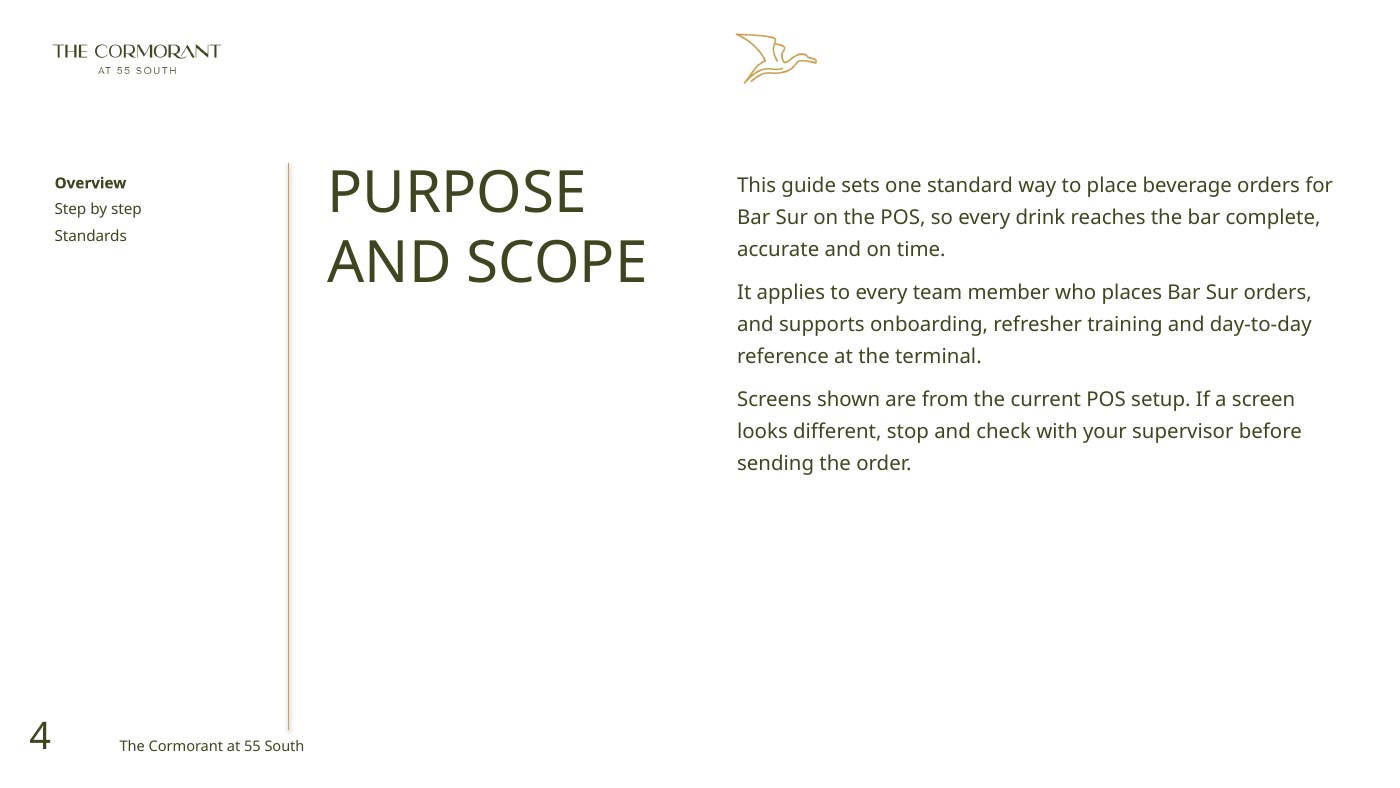
Actual terminal screens and the complete ordering journey, with standards and a quick reference.
Version 1.0 · October 2026 · Source file: The cormorant bar sur pos ordering guide.pptx
Programme overview / Summary, not a replacement SOP
Route it. Build it. Send it.
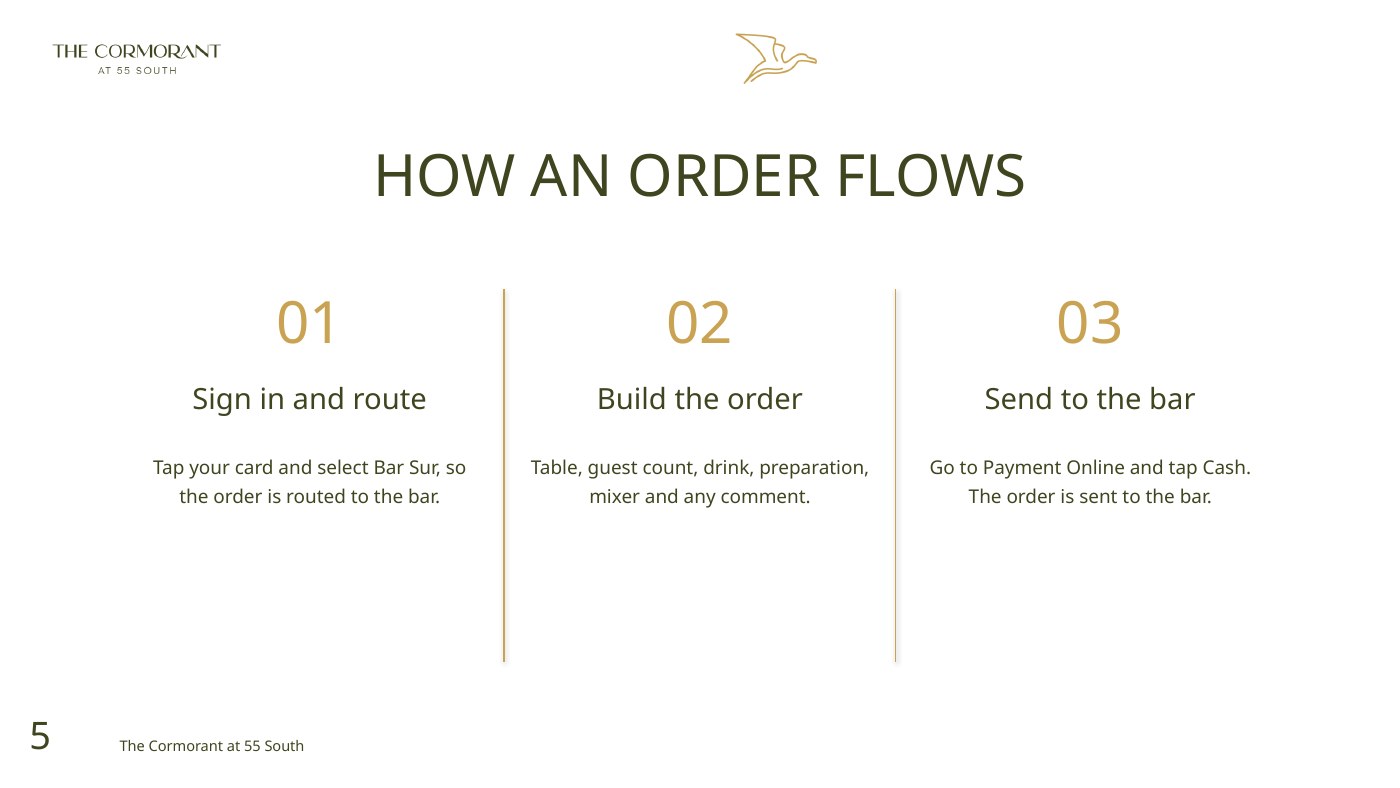
Route
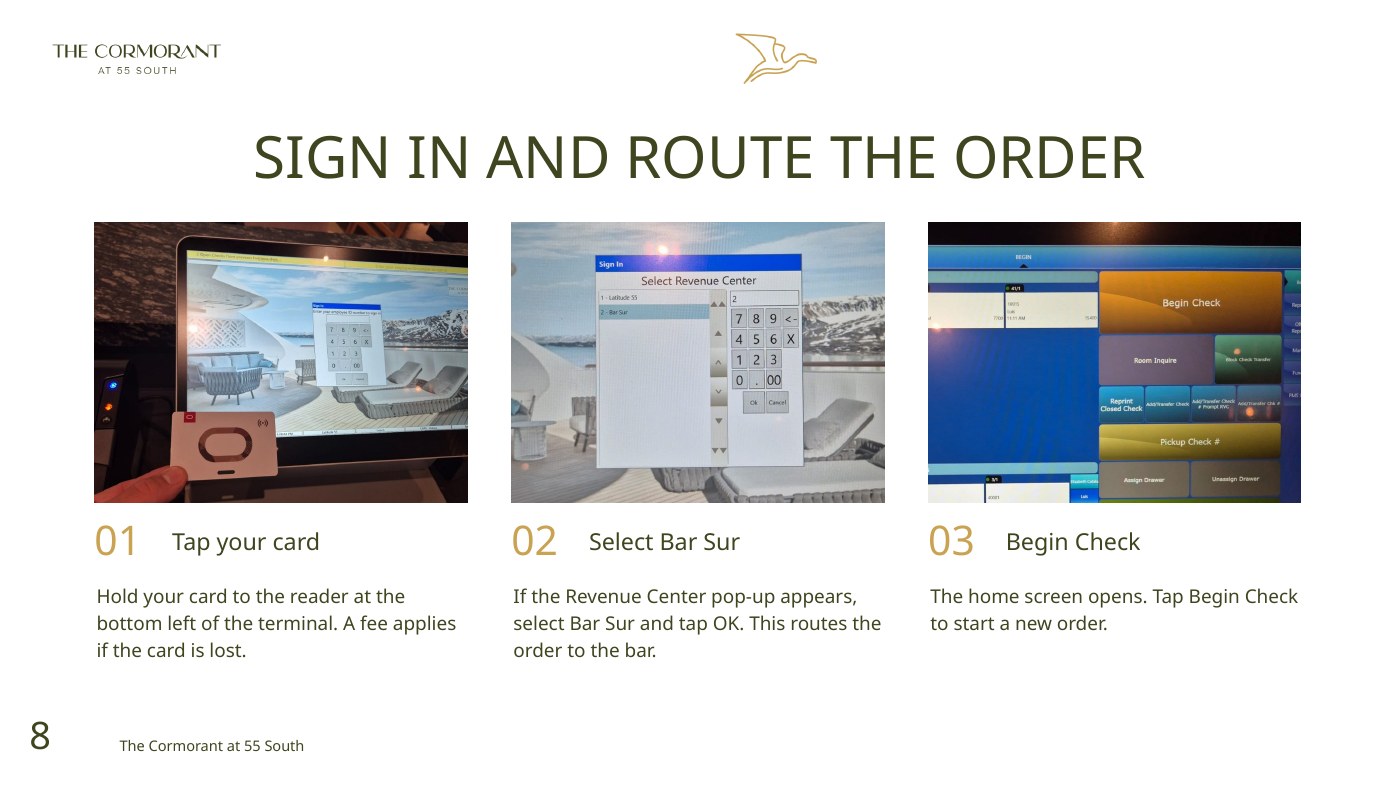
The guide begins with sign-in and selecting Bar Sur as the Revenue Center.
Build
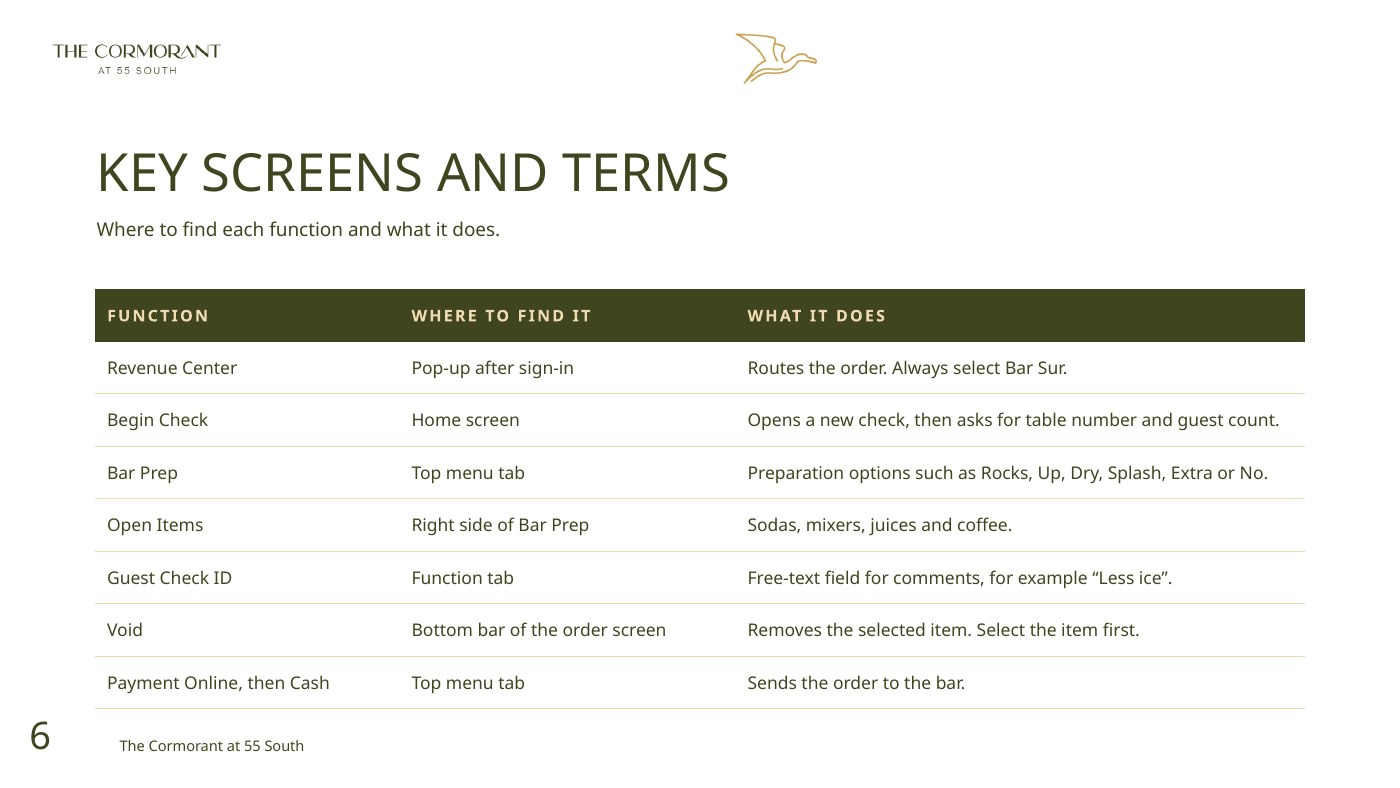
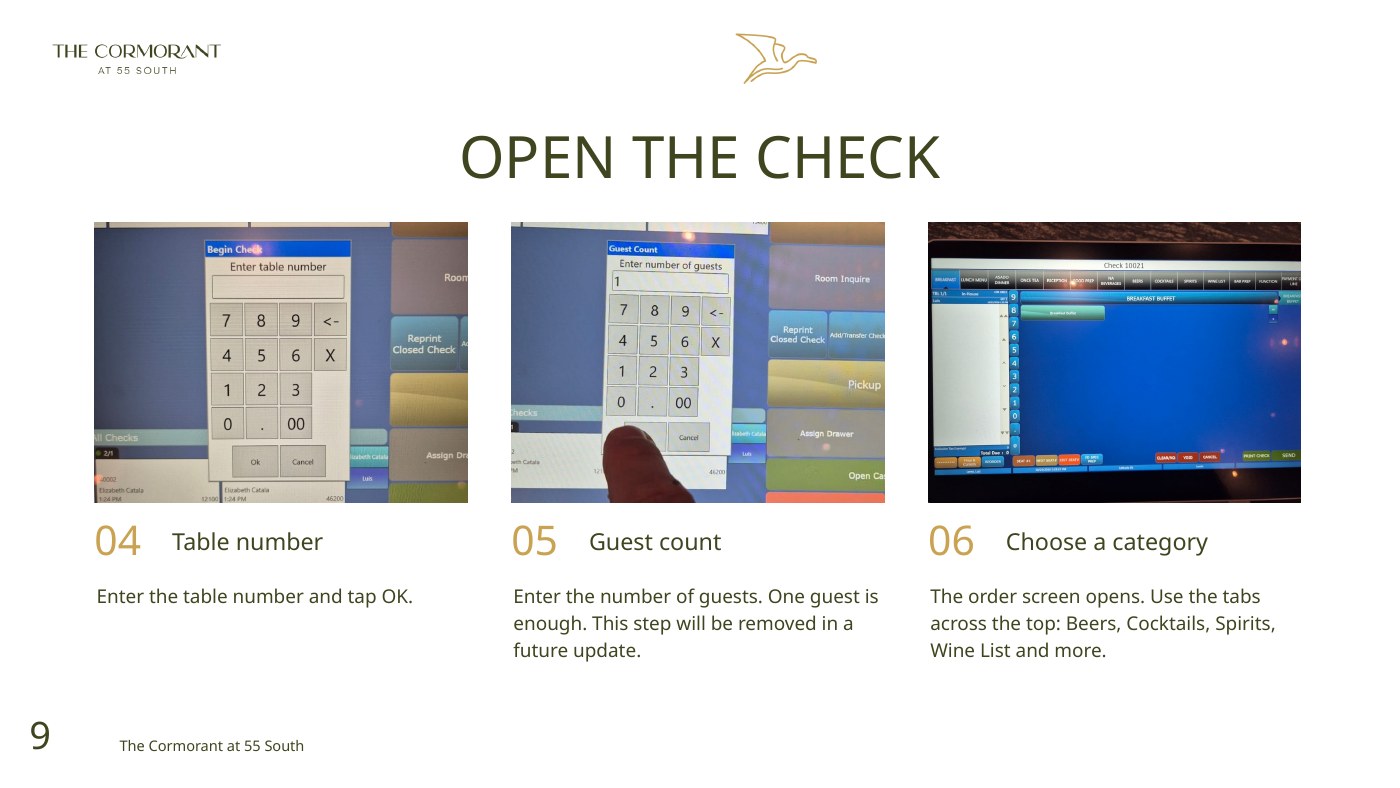
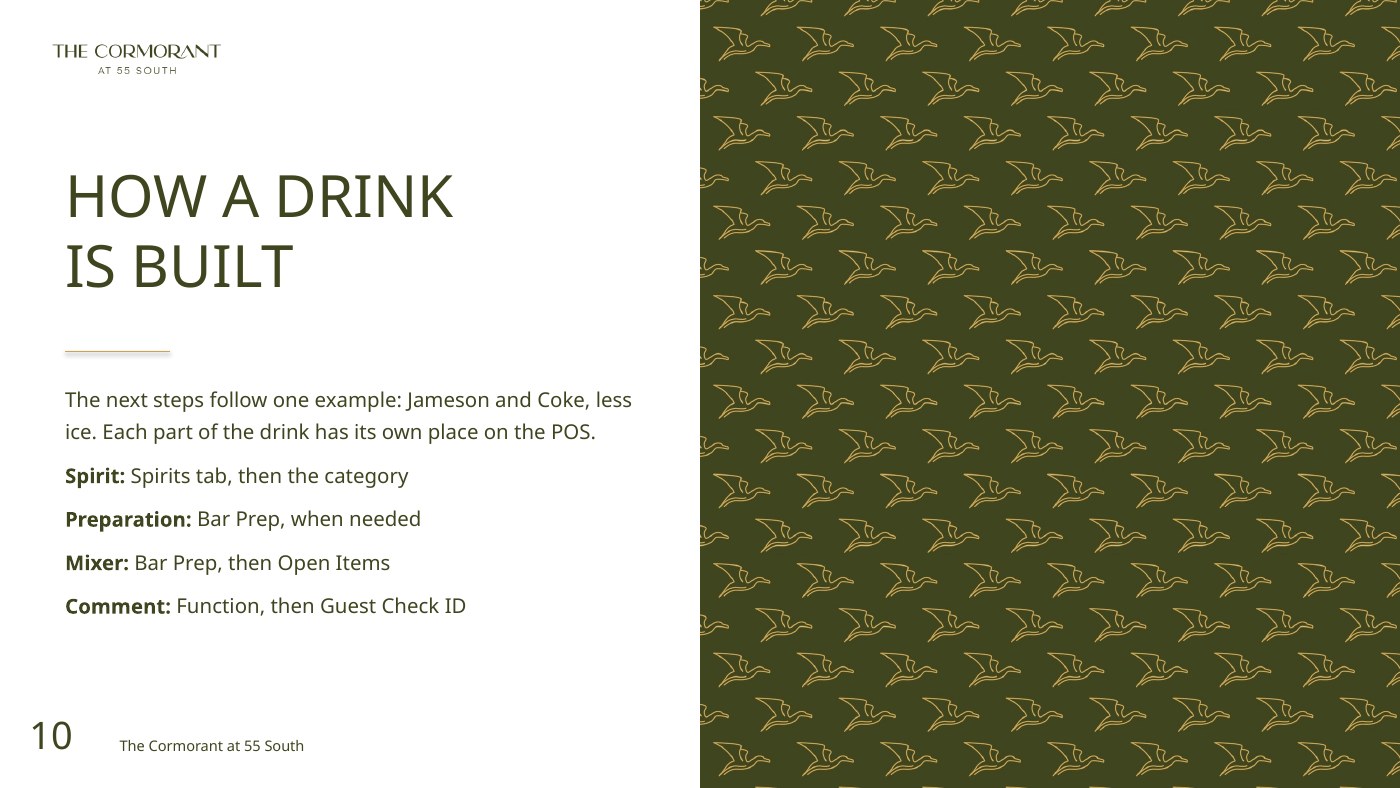
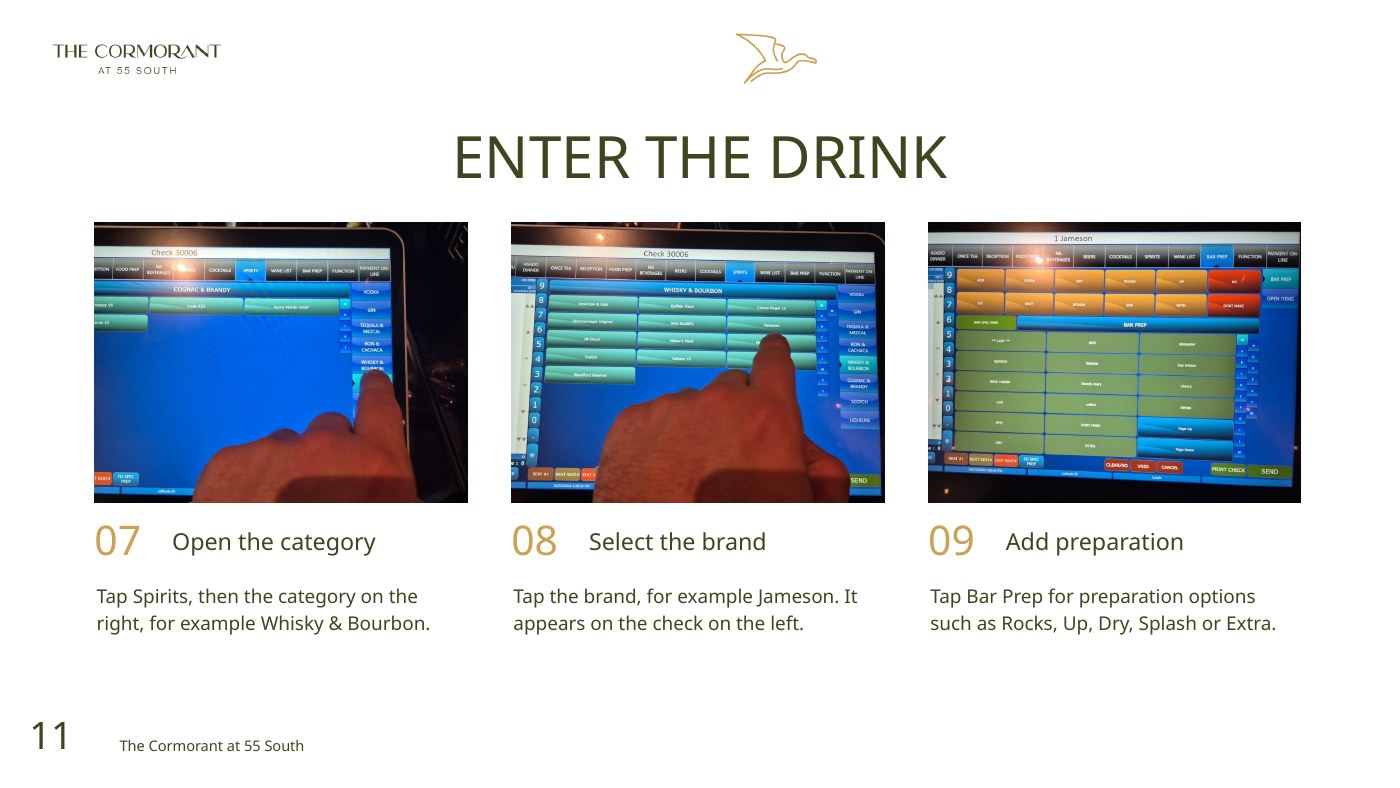
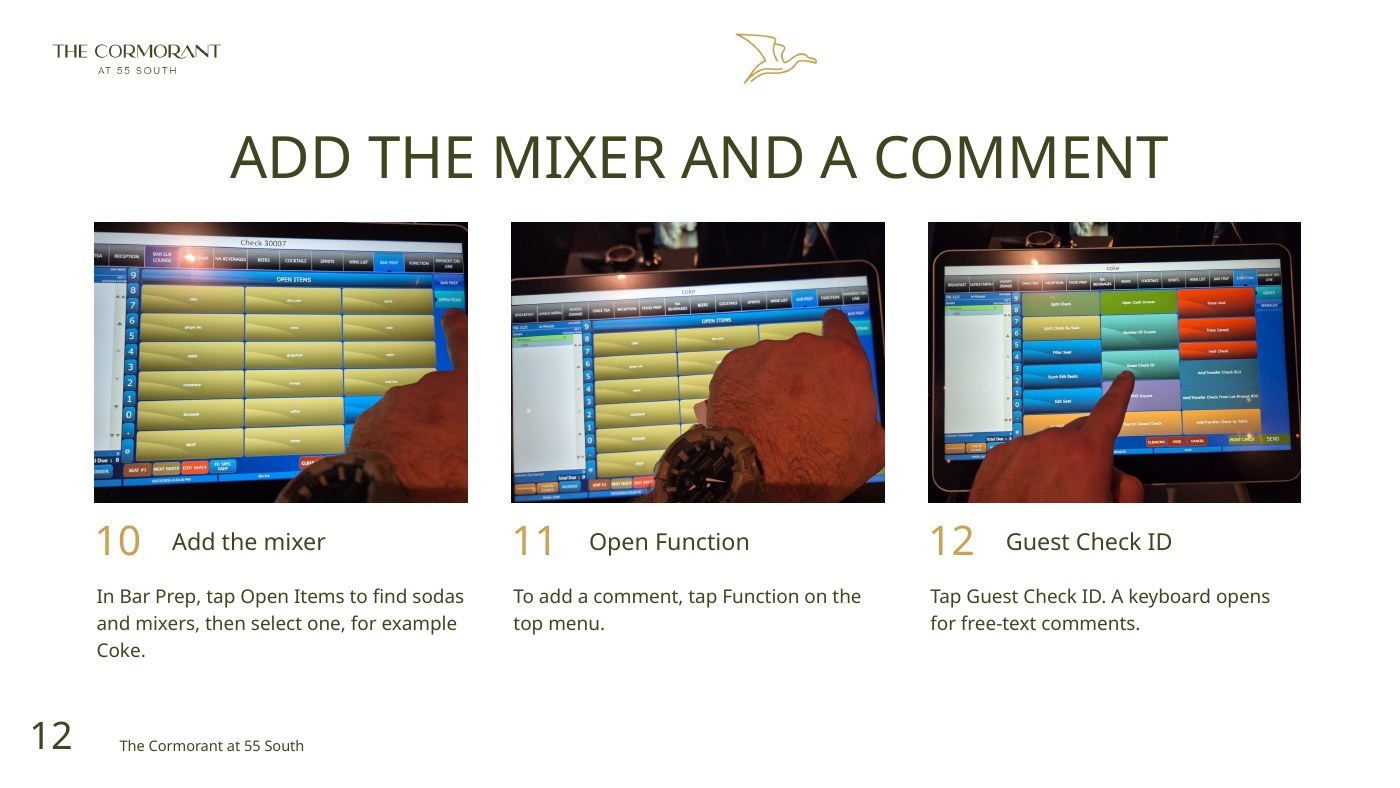
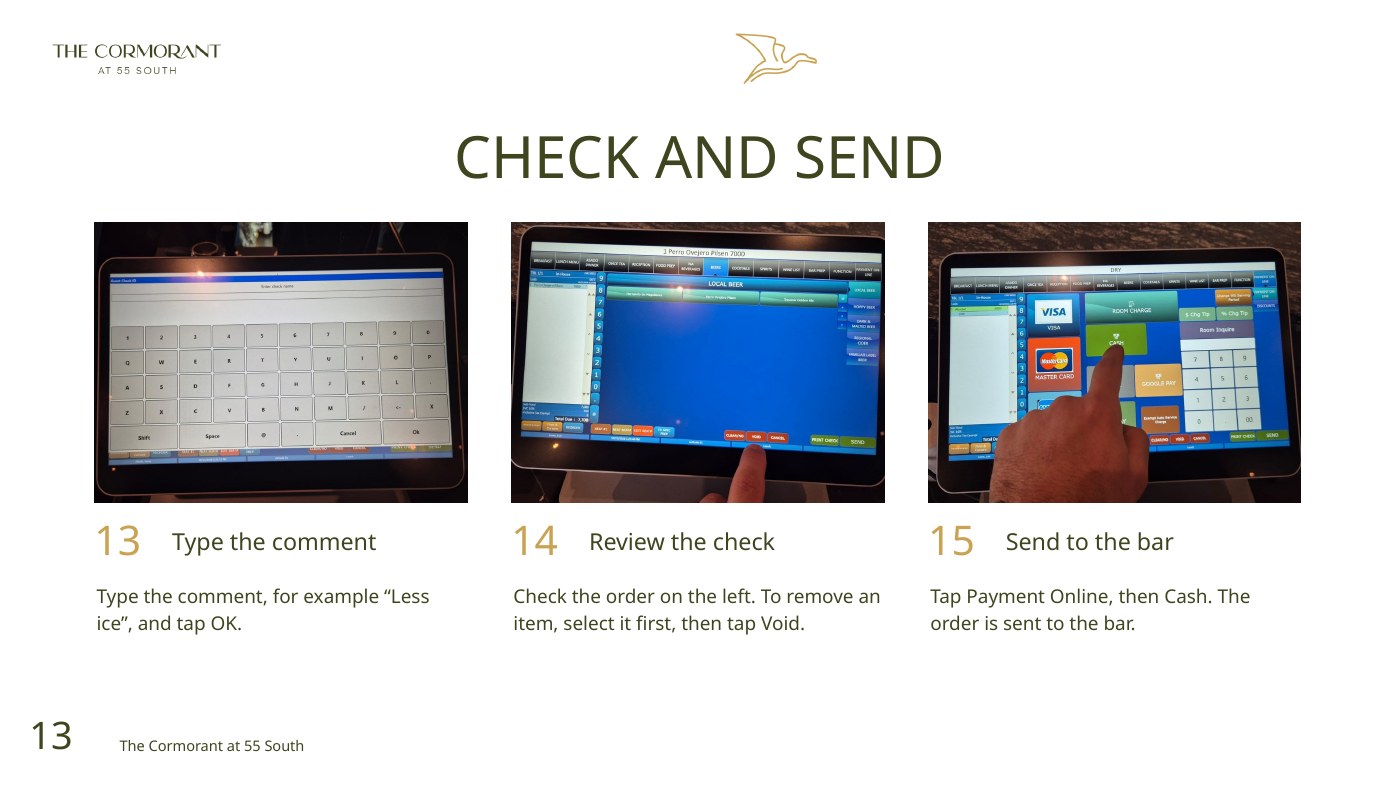
Actual terminal screenshots show the check, drink category, preparation, mixer and comment fields.
Review & send
The complete original shows item review, Void and the Payment Online → Cash sending sequence.
Stay consistent
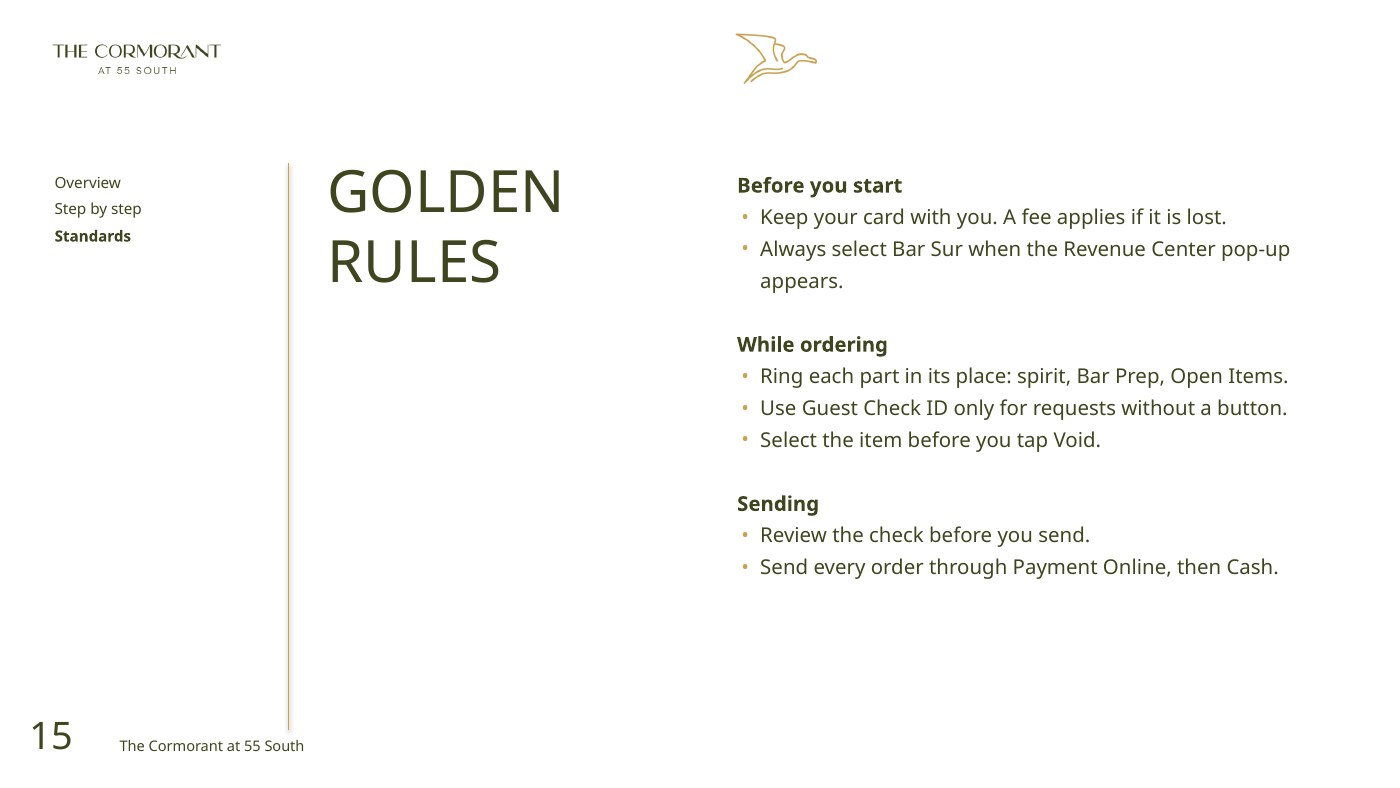
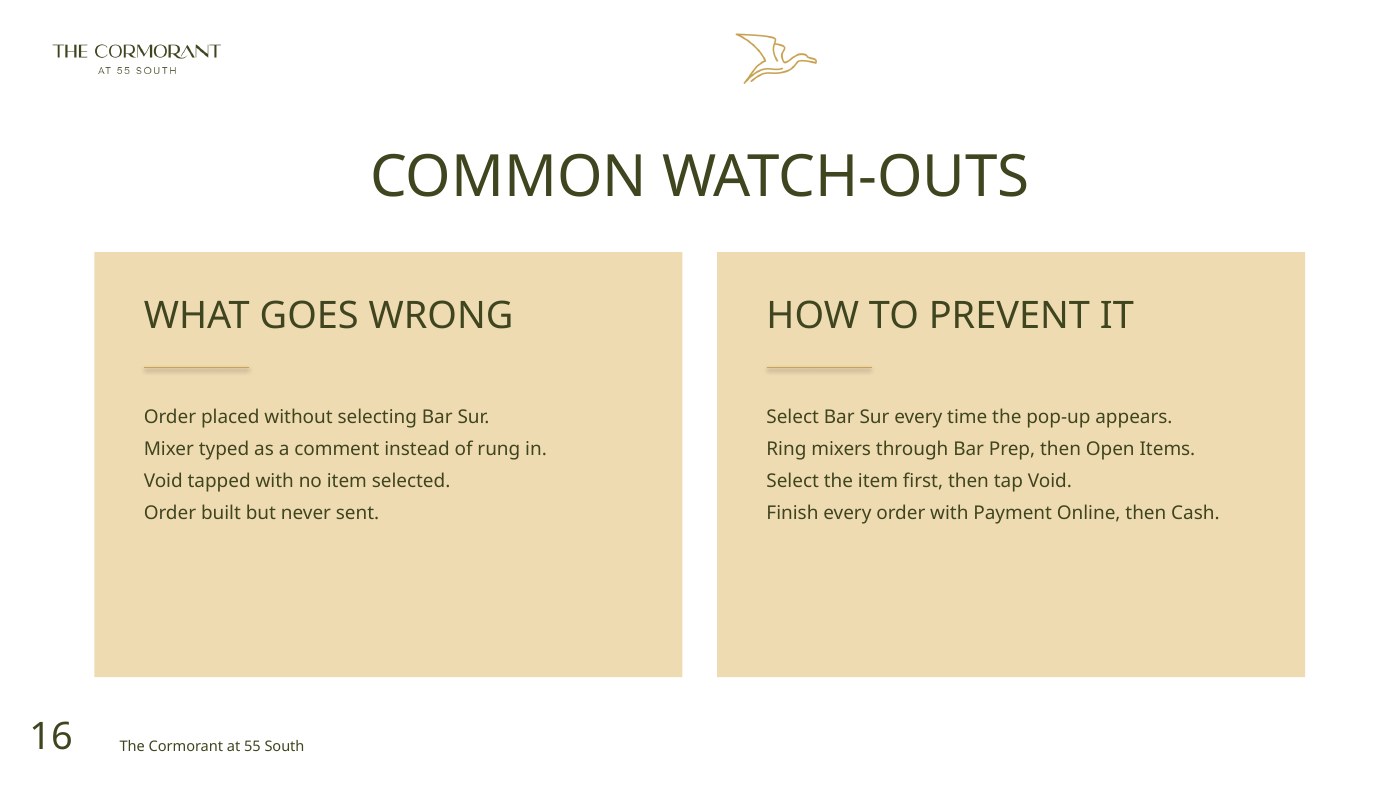
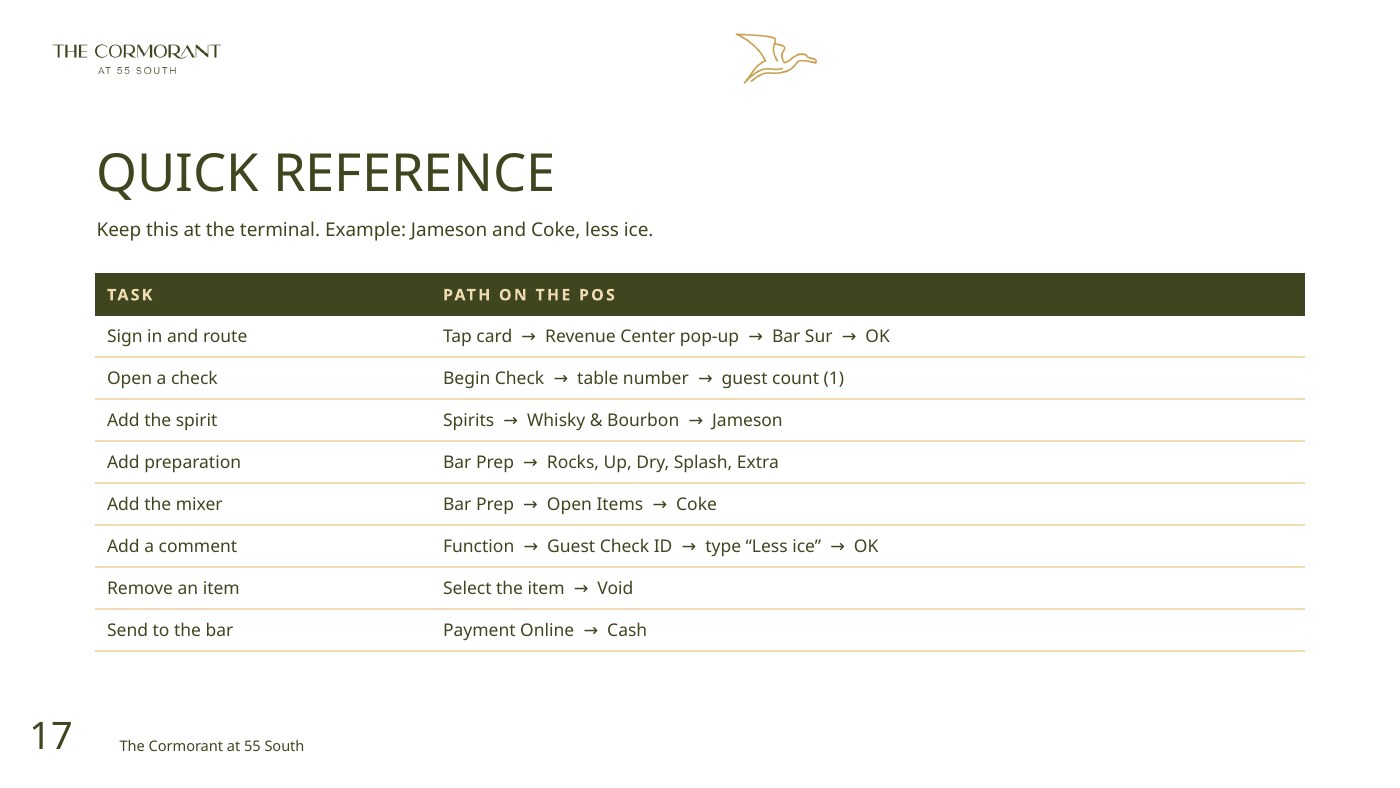
Golden rules, common watch-outs and a terminal quick reference support onboarding and refresher training.
Bar Sur POS Ordering Guide


Pinch with two fingers to zoom and drag to move around; double-tap or use the fit button to return to full width. Viewing copy: Office files are shown as converted pages and originals are archived unchanged. Content shown in a browser can still be captured by the viewer’s device.
Approved for app sharing by Elia Pacilio · 9 November 2026. Source copyrights remain with their owners; sharing approval does not change the document’s operational approval status.